
What is G-Code: Definition, Function, Types, and Uses
We use computer programs in manufacturing to design parts and prototypes. Because of this, it’s important for us to understand what G-code is when working with CNC machines and 3D printing. In this guide, we will explain its types, functions, and uses.
What is G-Code?
It is a standard set of text instructions to control CNC machines and 3D printers. It tells the machine exactly how to move the tool, where to go in X, Y, and Z, how fast to move, and when to start or stop. We also include details like feed rate, tool offsets, angles, and timing to control the full machining process.
How Does It Function?
Machine Side
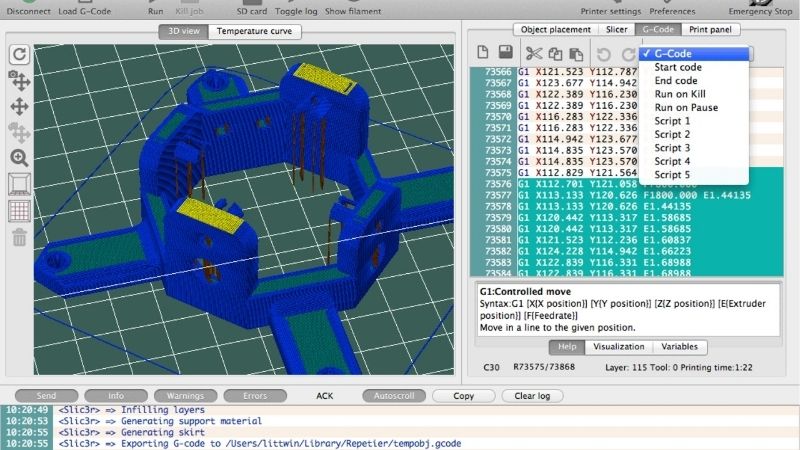
We load it into the Macchina CNC, which has a built-in controller that reads and understands the code. If the machine has extra features, like more axes or special functions, we rely on added commands built into the controller. The system reads each line of code, interprets it, and sends precise movement instructions to the motors, spindle, and other components.
Operator Side
We usually start with a CAD model that shows the part in 2D or 3D. Then we can use Software CAM to convert that design into G-code automatically. If we need to improve anything, we edit the code using a G-code editor. This step lets us customize details based on the job.
Since every CNC machine can read code a bit differently, we run the program through a post-processor. This adjusts the code to match the exact machine we are using, so we avoid errors. Once it’s ready, we send the final G-code file to the machine for execution.
Structure of G-Code
It is made up of letters and numbers. The numbers can have one or more digits. Depending on the machine, we may or may not put a space between the letter and the number.
In our code, each line can have several instructions. We call this a G-code block. The machine reads the code in order, left to right, and top to bottom, and follows each command step by step.
Here are some common letters we use:
G: controls general machine movements
F: sets the feed rate
T: selects or changes the tool
S: sets the spindle speed
X, Y, Z: control movement along the three main axes
A, B, C: control rotation around those axes
Types of Commands
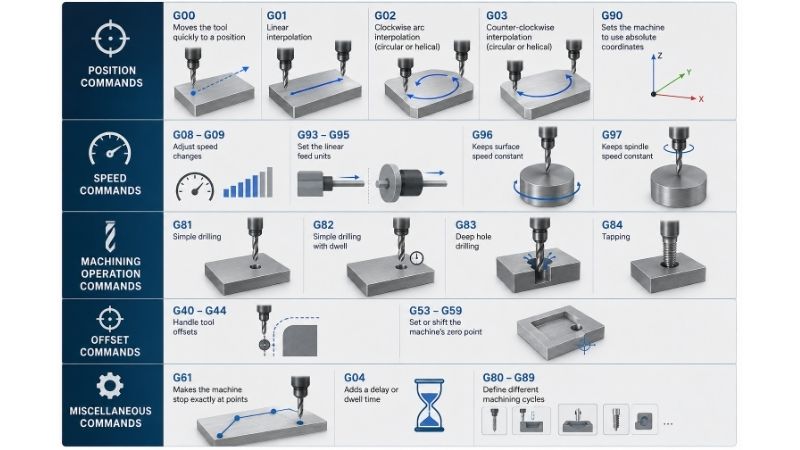
Position Commands
G00: Moves the tool quickly to a position
G01: Linear interpolation
G02: Clockwise arc interpolation (circular interpolation or helical interpolation)
G03: Counter-clockwise interpolation (circular interpolation or helical interpolation
G90: Sets the machine to use absolute coordinates
Speed Commands
G08 - G09: Adjust speed changes
G93 - G95: Set the linear feed units
G96: Keeps surface speed constant
G97: Keeps spindle speed constant
Machining Operation Commands
G81: Simple drilling
G82: Simple drilling with dwell
G83: Deep hole drilling
G84: Picchiettatura
Offset Commands
G40 - G44: Handle tool offsets
G53 - G59: Set or shift the machine’s zero point
Miscellaneous Commands
G61: Makes the machine stop exactly at points
G04: Adds a delay or dwell time
G80 - G89: Define different machining cycles
How to Read and Understand the Codes
- We first look at the letter at the start of the command.
- Not all letters start with “G”, but it is the most common.
- Letters like G and M tell us what kind of machine action we are doing. The number after them defines the specific function.
- Letters like X, Y, Z shoe position in the coordinate system. The numbers after them are the exact positions on each axis. For example, X1 means move to position 1 on the X-axis.
- Letters like A, B, and C show rotational movement. The numbers next to them give the angle value for that rotation.
- Letters like F and S control speed. F sets feed rate, and S sets spindle speed. For example, F200 means we set the feed rate to 200 units. The actual units depend on the active settings, like G93-95.
- We can also add comments using a semicolon (;). Anything after it on the same line is ignored by the machine.
So a command like G01 X10 F100 means we move in a straight line to X=10 while using a feed rate of 100 units.
Example of G-Code Programming
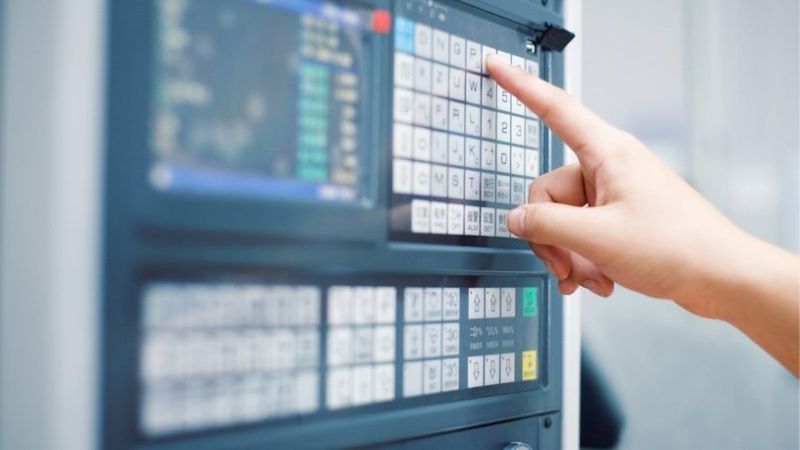
Below is an example program for a CNC mill. The goal is to cut a simple 20mm x 20mm square on the XY plane.
We start by setting the units and machine mode.
G21: set everything to millimeters
G90: use absolute positioning
We then move the tool to a safe height.
G00 Z5: lift the tool 5 mm above the part
Next, we move quickly to the starting point.
G00 X0 Y0: go to the origin
We begin cutting.
G01 Z-1 F100: lower the tool 1 mm into the material at 100mm/min
G01 X20 F200: move to X = 20 at 200 mm/min
G01 Y20: move up to Y = 20
G01 X0: move back to X = 0
G01 Y0: return to the starting point
We finish by lifting the tool.
G00 Z5: raise the tool back to a safe height
M0: stop the program here.
This is just a basic example. Real programs can look different depending on the machine. Some systems use G0, G1, and G2 instead of G00, G01, and G02.
Also, please take note that M30 is not a G-code, as it is an M-code.
What is the Difference Between G-Code and M-Code?
We use G-code and M-code for different parts of how the CNC machine runs.
G-code controls the movement. M-code is different. We use it to control machine functions that are not about movement. This includes turning the coolant on or off, starting or stopping the program, changing gears, running subprograms, and moving parts like the tailstock.
Both work together to run a complete CNC program.
What Machines Use G-Code
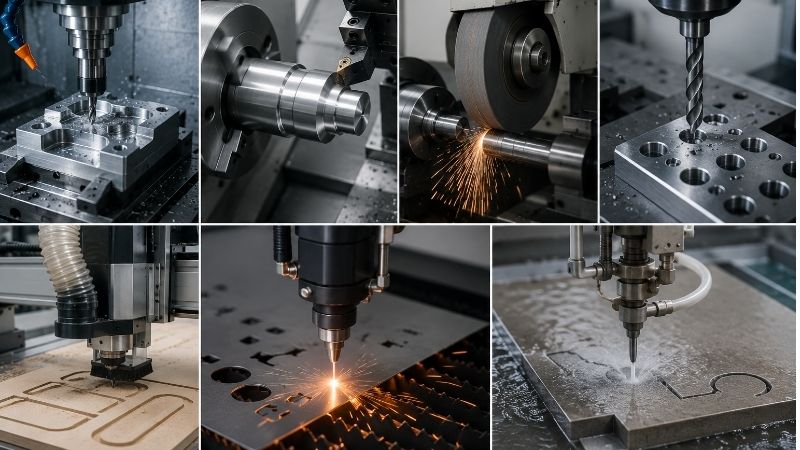
Fresatrice CNC
This has a rotating cutting tool while the workpiece stays still. The tool comes in different shapes, so we can do many types of cutting and shaping operations.
Macchina di tornitura CNC
The workpiece rotates, and the cutting tool stays fixed. This is ideal for making round or symmetrical parts like shafts and cones. The tool follows a controlled path around the part, removing material efficiently. Torni CNC work on this same turning principle and give us very accurate, repeatable results.
Rettificatrice CNC
We use rettifica when we need fine surface finishing. It removes only a small amount of material to make surfaces smooth. We usually do grinding after milling or turning. It also helps remove burrs after welding or joining processes.
Macchina di foratura CNC
Makes holes in a part using a drill bit. These holes are often for screws, assembly, or design purposes. Perforazione is usually done after other machining steps. If we need larger or more precise hole sizes, we use boring instead.
CNC Routing Machine
Works like a controlled handheld router to cut and shape different materials but guided by CNC programming.
CNC Laser Cutting Machine
Cuts material using a focused laser beam. The heat from the laser melts or burns through the material. It is very precise, but it only works well with certain materials. Some plastics can release harmful gases when cut.
CNC Waterjet Cutting Machine
This one cuts materials using very high-pressure water. The water stream is extremely thin but very powerful. It can cut thick materials and works for a wide range of applications without heat affecting the material.
Who Uses G-Code
G-code is an important skill for anyone working with CNC machines. CAM software can generate most of the code automatically, but knowing how to read and understand it lets us fine-tune the program.
It also helps us troubleshoot issues during machining, so it is easier for us to spot and fix problems when they happen.
G-code is useful for engineers, architects, and hobbyists. It is widely used in Stampa 3D as well, which makes it a versatile skill beyond just CNC machining.
Best G-Code Editors and Tools
Some of the best G-code editors we can use include NC Viewer, Notepad++, Cura, gCode Editor, and G-code QnDirty.
All of these are free and come with useful features, though there are also paid options available if we need more advanced tools.
We usually use G-code editors to make small adjustments to a program file. They also let us quickly replace specific commands throughout the entire code using a find-and-replace function, which makes editing much faster and easier.
Conclusione
We find G-code programming very useful when working with CNC machines. It is also not too hard to learn if we use the right approach. When we understand it well, we can create parti complesse with high accuracy and consistent quality.
If you want better results in your machining process, check out DEK for expert CNC solutions and support. Contact us and get a free quote.
